So, what exactly is a video in portrait? Put simply, it’s any video filmed vertically. Think of the 9:16 aspect ratio you see on your phone—taller than it is wide—that’s designed from the ground up for a full-screen mobile experience.
It’s the native language of your smartphone, mirroring the exact way we all naturally hold our devices. This isn't some niche trend anymore; it's the absolute standard for getting noticed and driving engagement on social media.
Why Portrait Video Is the New Standard

The pivot to vertical video isn't just a matter of preference. It's a seismic shift in how people consume media, driven entirely by our phones.
Just think about the last time you were scrolling through Instagram Reels, TikTok, or YouTube Shorts. The whole experience feels completely natural. It's seamless, immersive, and perfectly tailored to the screen in your hand. That, right there, is the core reason portrait video has taken over.
This format gets rid of that tiny bit of friction—having to turn your phone sideways—that can be just enough to make someone skip your content. By filling the entire screen, a video in portrait grabs a user's full attention, ditches the distracting black bars, and pulls them into a much more personal viewing experience.
The Mobile-First Reality
The data tells a pretty clear story. By 2025, it's expected that more than 75% of all video content will be consumed on mobile devices. And with 70% of YouTube's watch time already coming from mobile, it's obvious why every major platform has bent over backward to accommodate this behavior.
For creators and publishers, a portrait-first mindset is no longer optional.
This isn't just a trend; it's a behavioral standard. Creating content that aligns with natural user habits is the fastest way to increase engagement and connection.
What This Means for Publishers
If you're a publisher or content creator, ignoring this shift simply isn't an option anymore. Resisting a portrait video strategy is like publishing a print magazine with all the text printed sideways—sure, people could read it, but why would they want to?
Embracing a vertical-first approach gives you a few major advantages:
- Increased Engagement: Videos that fit the screen naturally just get more love. They're easier and more pleasant to watch, so people interact more.
- Higher Completion Rates: Viewers are far more likely to stick around until the end if they don't have to awkwardly flip their device.
- Platform Prioritization: Let's be honest, social media algorithms love their native formats. Well-made portrait videos often get a boost in visibility and reach.
Getting this format right is the first real step in building a modern content plan that actually works. For a deeper dive into building a winning approach, check out our comprehensive guide to developing a vertical video marketing strategy.
How Portrait Video Captures Audience Attention

The magnetic pull of portrait video isn't some happy accident. It’s hardwired into how we use our most personal devices every single day. When content fills the entire screen of a smartphone, it creates a genuinely immersive experience that demands—and holds—a viewer's complete focus.
This full-screen takeover is more than just a slick design choice. It’s a huge strategic advantage. It completely does away with the visual clutter and distracting black bars that make landscape videos feel so awkward on mobile. By getting rid of those distractions, a portrait video grabs a viewer's attention and keeps it for much longer.
Maximizing Screen Real Estate
Think of your phone’s screen as prime digital real estate. A landscape video only uses a tiny slice of that valuable space, forcing people to either squint at a little rectangle or break their flow by turning their phone sideways. Let's be honest, most people just won't bother.
Portrait video, on the other hand, claims 100% of the screen. This simple shift makes everything—from the people on camera to the captions you add—bigger, clearer, and far more impactful. The result is a viewing experience that just feels right on the device. It's comfortable, engaging, and native.
And this smart use of space gets results. Study after study shows that vertical videos have significantly higher completion rates than their horizontal cousins on mobile. It's simple: viewers are far more likely to watch a video to the end when it actually fits the screen in their hand.
Aligning with Modern Consumption Habits
The way we consume content today is all about the quick, decisive scroll. We flick through our feeds at lightning speed, making split-second judgments on what's worth our time. Portrait video is perfectly engineered for this exact "scroll-and-stop" behavior.
Because it dominates the screen, it’s instantly more eye-catching, capable of stopping a user mid-flick. The format gives creators the perfect canvas to deliver a powerful visual hook in those first few critical seconds—which is often all the time you have before they move on.
By leaning into the fast-paced nature of social feeds, portrait video doesn't just ask for attention—it commands it. It's a format built to win in an environment where every second counts.
It's no surprise that short-form video, the undisputed champion of this environment, thrives in a vertical format. By 2025, this type of content is expected to make up an incredible 90% of all internet traffic, a tidal wave driven by platforms like TikTok and Instagram Reels. To put that in perspective, ad spending in short-form video is on track to blow past $100 billion in 2025, and social video already gets 1200% more shares than text and images combined. You can dig into more short-form video statistics on Vidico.com.
Fostering Authenticity and Connection
Beyond all the technical advantages, there's a subtle but powerful psychological benefit to the portrait format: it just feels more personal and authentic. It often mirrors the casual, unscripted vibe of a FaceTime call or a friend’s Instagram Story, which creates an intimacy that highly polished, wide-screen productions often struggle to achieve.
This sense of authenticity helps break down the wall between the creator and the viewer, building a real feeling of connection and trust. For publishers and brands, that's pure gold.
This authentic feel delivers some key benefits:
- Increased Relatability: The format feels less like a corporate broadcast and more like a real, one-on-one conversation.
- Higher Trust Signals: Authentic, user-generated-style content is often seen as far more trustworthy than a traditional, glossy ad.
- Stronger Community Building: That personal connection encourages comments, shares, and DMs, which are the building blocks of a loyal audience.
Ultimately, the power of portrait video is its ability to meet viewers exactly where they are—on their phones, living in a vertical world. It respects their habits, captures their undivided attention, and forges a connection that feels both immediate and genuine. That makes it an absolutely essential tool for any modern publisher.
Essential Production Techniques for Portrait Video
Knowing why portrait video works is one thing. Actually creating a video that people can't swipe away from? That's a whole different ballgame.
To really nail it, you have to shift your creative mindset and embrace techniques built specifically for the vertical screen. This isn't just about flipping your camera sideways; it's a complete rethink of how you compose shots, set the pace, and deliver your message from the ground up.
Let's get practical. Moving from theory to action means obsessing over the small details that make a huge impact on mobile. From framing your shots to assuming nobody has their sound on, these are the core skills that form the bedrock of a solid portrait video strategy.
Master Your Framing and Composition
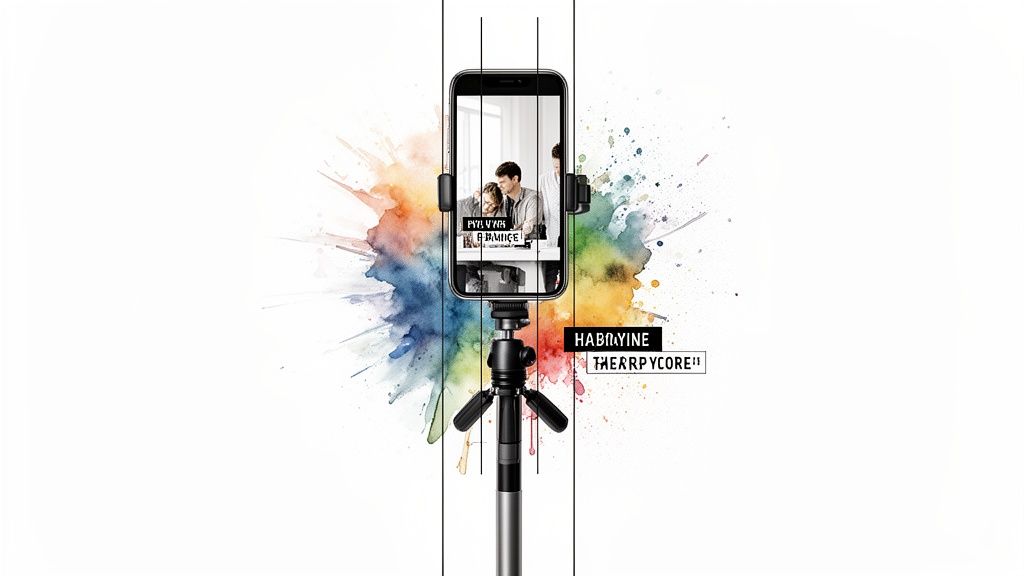
The absolute first rule of shooting a video in portrait is to respect the "safe zone." Every social platform slaps its user interface—buttons, usernames, captions—over the top and bottom of the screen. A rookie mistake is putting critical visuals or text in these spots, which is a surefire way to get your message lost.
Always keep your main subject framed right in the center of the screen. This guarantees they stay the focal point, clear of any UI clutter. Think of the vertical frame like a classic portrait painting; your composition should guide the eye directly to the most important element, no distractions. For a deeper dive into the specific specs for each platform, check out our guide to vertical video dimensions.
Beyond just placing your subject, play to the format's natural strengths. Use vertical lines in your shot—think doorways, trees, or tall buildings—to create a powerful sense of depth and scale that really complements the tall frame.
Hook Viewers in the First Three Seconds
In the fast-scrolling world of vertical video, you have no time for a slow-burn intro. Viewers make a snap decision in the first few seconds. They’re either hooked, or they've swiped on to the next thing. Your opening needs to be dynamic, grab their attention, and instantly show them what’s in it for them.
The trick is to front-load your video with the absolute best stuff.
- Start with a bold claim or a question: Pique their curiosity right away.
- Use quick cuts and snappy motion: Movement is a powerful scroll-stopper.
- Show the end result first: For tutorials or transformations, revealing the final product upfront makes people want to stick around to see how you got there.
And don't just stop after the intro. Keep the energy up the whole way through with quick editing, different camera angles, and visuals that hold their interest.
A portrait video isn't a slow-burn movie; it's a sprint. If you haven't captured your audience's full attention by the three-second mark, you've already lost them to the next video in their feed.
Design for Sound-Off Viewing
An almost unbelievable number of mobile videos—some studies say as high as 85%—are watched on mute. This means captions and on-screen text aren't just a nice-to-have; they're essential. Your message has to be crystal clear without anyone hearing a single word.
When you're adding text, readability is everything. Use clean, bold fonts that pop against the background. Keep your captions short and sweet, summarizing the main points instead of giving a word-for-word transcript.
Here are a few tips to make your on-screen text work harder:
- Animate Your Text: Even a simple animation can make your text more dynamic and draw the eye.
- Use Branded Colors: Use your brand's color palette for text and graphics to reinforce your identity.
- Break Up Information: Don't throw a wall of text at them. Serve up information in small, easy-to-digest chunks that appear one after another.
By designing for a silent experience from the start, you make sure your video works no matter how it's being watched. As you start producing more content, keeping all your assets organized is key. Having effective video digital asset management in place will keep your workflow smooth and efficient. Applying these techniques will elevate your content from a simple vertical clip to a polished, engaging, and high-performing video in portrait.
Repurposing Landscape Content for a Vertical World
Chances are, you're sitting on a mountain of high-quality, 16:9 landscape videos. That’s not dead weight; it's a goldmine. Each one is an asset just waiting to be reimagined for vertical-first platforms. The real trick is doing it without the final cut looking like a clumsy, amateur afterthought.
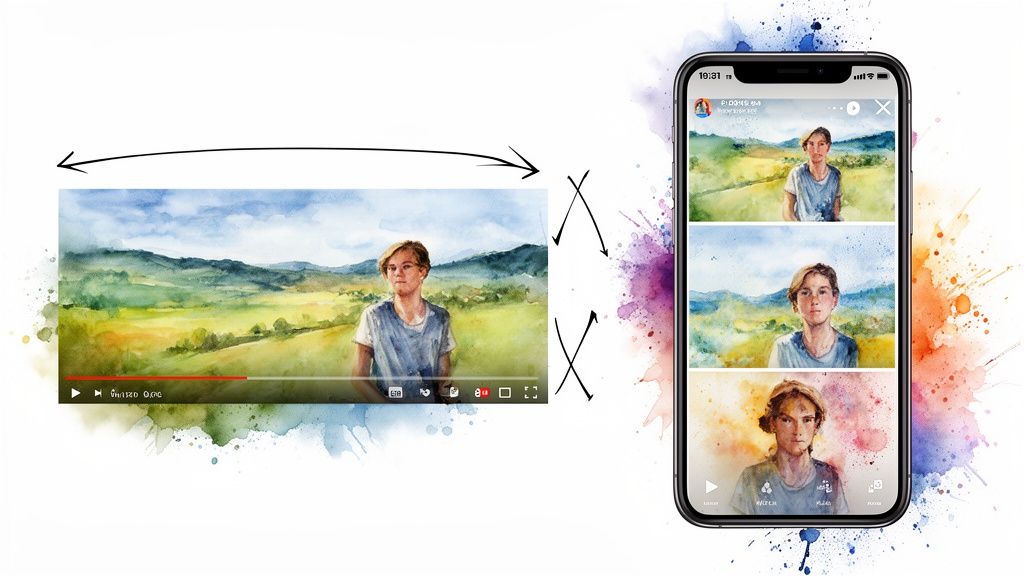
Let's be blunt: just cropping your horizontal video down the middle is a terrible idea. It’s the fastest way to chop off key subjects, ruin the original shot, and signal "low-effort" to an audience that lives and breathes mobile content. The goal isn't just to make it fit—it's to make it feel like it was born for a portrait screen.
This takes a bit more finesse. It's about respecting the original footage while completely rethinking how the story unfolds in a tall, narrow frame. Smart repurposing isn’t just a format change; it’s a creative reset.
Smart Conversion Techniques
Instead of taking a sledgehammer to your video with a simple crop, there are much smarter ways to reframe your landscape content. These methods keep the story flowing and ensure your video still looks great.
One of the most popular and effective tricks is the "pan and scan" method. Think of it like a virtual camera operator gliding across your original wide shot, zeroing in on the speaker or the main action. This keeps the most important stuff centered and creates a dynamic feel that holds a viewer's attention.
Another great option is a split-screen layout. You can drop the main video into one part of the screen and use the rest of the space for text, graphics, or even another video clip. This works wonders for interviews, tutorials, or product demos where you need to show more than one thing at once.
Repurposing isn't about shrinking your content; it's about refocusing it. A well-executed vertical conversion guides the viewer's attention to the most critical part of the frame, creating a more intimate and direct experience.
You can also get creative by placing your 16:9 video inside the 9:16 frame and using the extra real estate above and below. Fill it with bold headlines, branded graphics, or animated captions. This preserves the original shot's integrity while adding context that makes the video in portrait feel polished and native to the platform. To get even more mileage from your videos, learning how to transcribe video to text is a killer skill for turning spoken content into articles, show notes, and more.
The Power of Automated Reframing
Now, imagine trying to do all this manually for every single video. It’s a soul-crushing amount of work and simply doesn’t scale. An editor could easily burn hours meticulously reframing just one five-minute video. For any content team trying to keep up, that’s a massive bottleneck.
This is where AI-powered automation completely changes the game. Tools like Aeon can analyze your landscape video, automatically find the main subject, and apply that pan-and-scan technique to create a perfectly framed portrait video. The best part? It happens in minutes, not hours.
Automating this frees your team from the tedious grunt work, letting them focus on bigger-picture strategy and creating new content. Instead of spending a whole day converting a few videos, you can process your entire back catalog and multiply your output without hiring more people.
The difference between the old way and the new way is night and day.
Manual Repurposing vs. Automated Conversion
The following table breaks down just how different the manual and automated approaches are when it comes to time, cost, and ability to scale.
Ultimately, while manual editing offers granular control, it creates a ceiling on your content velocity. Automation removes that ceiling, letting you tap into your existing video library at a scale that was previously impossible.
How to Automate Portrait Video Creation at Scale
Let's be honest, keeping up with the relentless demand for fresh content is the biggest headache for modern publishers. Everyone knows a steady stream of high-quality video in portrait format is gold, but the production bottleneck is a real and expensive problem. Pushing out vertical videos one by one chews up time, requires specialized skills, and drains resources most teams just don’t have.
This old-school, manual approach simply doesn't scale. The answer isn’t to work harder; it’s to work smarter by automating the grunt work.
Imagine transforming your huge library of articles or your entire back catalog of landscape videos into slick, on-brand portrait videos with almost no human effort. This is where automation flips the script, turning a slow, expensive chore into a fast, efficient content engine.
Moving Beyond Manual Production
Automation lets your team evolve from being hands-on video editors to strategic content curators. Instead of spending hours tediously reframing shots or manually typing out captions, you can focus on what actually matters: telling great stories and figuring out what works.
This shift is critical because our collective appetite for video is bottomless. An incredible 78% of people watch online videos every single week, and 54% of consumers say they want to see more video content from the brands they follow. Automation allows you to meet this demand head-on, delivering the volume and quality your audience expects without burning out your team. You can dive deeper into the current state of video marketing on Insivia.com.
Platforms like Aeon are designed to solve this exact problem, using AI to handle the most time-sucking parts of video creation.
- AI-Driven Video Generation: Automatically convert text articles into dynamic video scripts, complete with relevant visuals and voiceovers.
- Intelligent Reframing: Instantly convert existing landscape videos into perfectly framed 9:16 portrait versions, making sure the action is always in focus.
- Automatic Captioning: Instantly generate and burn in clear, readable captions—an absolute must, since over 85% of mobile videos are watched on mute.
Maintaining Brand Consistency at Scale
One of the biggest risks of ramping up content production is losing your brand's unique feel. When multiple people are creating content, keeping a consistent look is tough. Automation nails this by building your brand identity right into the workflow.
Automation isn't about replacing creativity; it's about amplifying it. By handling the repetitive tasks, it frees your team to focus on high-impact strategic work that drives real growth.
With tools like a built-in brand kit, you set your fonts, colors, logos, and graphic styles once. From then on, every single video pumped out by the system automatically follows those rules. This guarantees every piece of content—whether it's the first or the five-hundredth video of the month—is instantly recognizable as yours.
This consistency builds brand recognition and trust with your audience. For a practical look at how this all comes together, you can explore our guide on how to create AI video with these principles in mind.
Ultimately, automating your video in portrait workflow is the key to unlocking scalable, consistent, and high-ROI content. It transforms your production process from a bottleneck into your most powerful advantage.
Frequently Asked Questions
Switching to a portrait-first video strategy can feel like a big move, and it's natural to have questions. We've pulled together the most common ones we hear from publishers and content teams to give you clear, direct answers.
Think of this as your quick-start guide to clear up any lingering confusion. We'll cover everything from the best way to dip your toe in the water to how to actually know if what you're doing is working.
What Is the Best Way to Start Creating Portrait Video Content?
The smartest and safest way to start is by not starting from scratch. Look at what's already working for you.
Find your top-performing blog posts or your most-watched landscape videos. That's your goldmine. By using content that you already know resonates with your audience, you take a ton of the guesswork out of the equation.
Use a tool to convert that proven content into a few short, punchy clips—think 15-30 seconds. Make sure to add bold text overlays that spell out the key ideas and a clear call-to-action telling people what to do next. Then, get them out there on Instagram Reels, TikTok, or YouTube Shorts and see what happens. This is all about testing and learning without sinking a huge budget into a brand-new production.
Can I Just Crop My Landscape Videos for Portrait?
You can, but you really shouldn't. Just slapping a center-crop on your 16:9 video is the fastest way to look like you don't know what you're doing.
It almost always leads to awkward framing where the main subject gets cut off, the important action is happening just off-screen, and the whole thing feels clunky. It screams "afterthought" to your audience, and they'll swipe away in a heartbeat.
A much better approach is "reframing." This is where you intelligently move the 9:16 frame to follow the action, keeping the focus on what matters. It creates a far more professional and watchable video. The catch? Doing it manually is a soul-crushing time-suck for an editor.
Simply cropping your landscape video is a missed opportunity. Effective repurposing involves thoughtfully reframing the content to guide the viewer’s eye, ensuring the final product feels native and intentional on a vertical screen.
For the best results, you need to go beyond just reframing. Add a headline, branded backgrounds, or animated captions to turn a simple clip into a high-quality video in portrait that looks like it was made for mobile. Thankfully, automated tools can now use AI to handle this reframing instantly, keeping your subject perfectly centered without all the manual labor.
How Should I Measure the Success of My Portrait Videos?
Views are just a vanity metric. To really understand what's working, you have to look at how people are actually interacting with your content.
Focus on these metrics instead:
- Watch Time & Audience Retention: This is the big one. How long are people sticking around before swiping? If you see a huge drop-off in the first 3-5 seconds, you know your hook isn't strong enough.
- Engagement Rate: Don't just count likes. Look at the total likes, comments, shares, and especially saves, and measure them as a percentage of your views. A "save" is a huge signal that you've created something valuable.
- Click-Through Rate (CTR): If you have a link in your video, are people actually clicking it? This is the most direct way to measure if your video is driving real action.
- Shares: When someone shares your video, they're putting their own reputation on the line to recommend it. It's one of the strongest indicators that your content truly connected with them.
Remember to look at this data for each platform separately. How people behave on TikTok is different from how they behave on YouTube Shorts. Digging into the numbers is how you'll find the insights to make your next video even better.
How Long Should a Portrait Video Be?
There's no magic number here. The golden rule is: be as long as necessary, but as short as possible.
The platform and the story you're trying to tell dictate the length.
For fast-paced feeds on TikTok and Instagram Reels, you're usually aiming for the 15-45 second sweet spot. It's just enough time to grab attention, deliver a quick piece of value, and maybe even get them to watch it again.
On YouTube Shorts, you get up to 60 seconds, which gives you a bit more room for a quick tutorial or a more detailed story. For Instagram Stories, you can string together multiple 15-second clips to build a longer narrative. The key is to keep the energy up. If you have a 60-second video but it gets boring after 20 seconds, you’ve already lost. Be ruthless in your editing and make every second count.
Ready to stop the manual grind and start scaling your video production? Aeon uses AI to automatically transform your articles and existing videos into on-brand, engaging portrait videos in minutes, not hours. See how it works at https://www.project-aeon.com.